
Resources: book only the equipment and staff you have
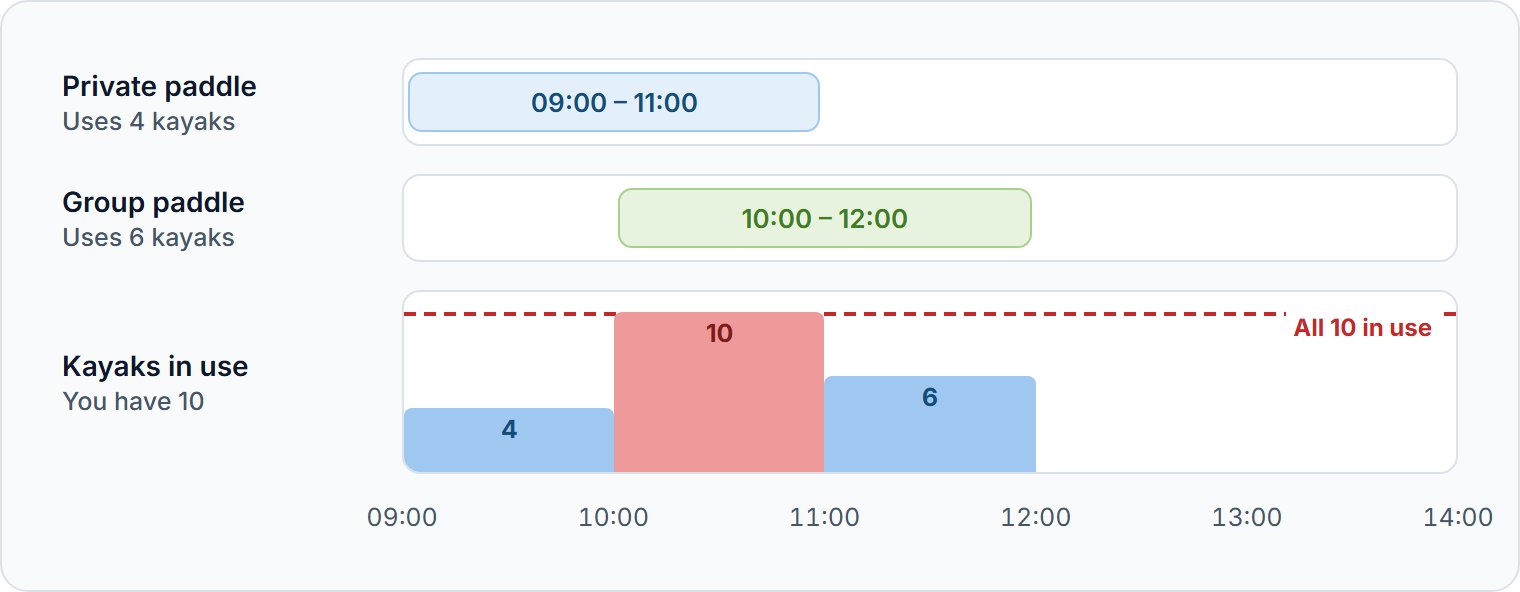
A resource is equipment or staff your tours share, such as 10 kayaks used by two tours. TourTask counts what each booking uses, so you never sell more than you have.
Adding a resource
Go to Tours → Resources. Click Add beside one of the Default resources, such as Kayak or Horse, or click Create custom resource. Then enter its Total quantity.
When a resource runs out
Each resource sets what happens on your website once it is used up:
| When this resource runs out | On your website |
|---|---|
| Hard-block on the website | That time can't be booked |
| Accept booking requests on the website | The booking comes in and waits for your confirmation |
Online travel agencies refuse the booking either way. Rest and preparation time keeps each unit reserved for some minutes after every use, for rest or cleaning.
Telling a tour what it uses
Open the tour under Tours → Manage and click Resources. Add a row for the resource, set what the tour uses, and click Save in that card.
| Amount | Counts | For example |
|---|---|---|
| Per departure | Once per departure | 1 driver |
| Per booking | Once per booking on the departure | 1 guide per party |
| Per group | Once per group of the departure | 1 guide per group |
| Per passenger | For each passenger | 1 kayak each |
| Passengers per unit | One unit shared by several passengers | 1 guide for every 6 |
Resources only some age groups use
Passengers counted limits Per passenger and Passengers per unit to some age groups, such as child car seats for children. When those run out, the other passengers can still book.
Questions we get asked
No. The booking form warns that a resource would be overbooked, and you decide.
Yes, such as a rented wetsuit. Set it in the add-on's Resources, on top of what the tour uses.
Tours or add-ons still use it: they are listed under Required by. Remove it from them first.