
Website builder for tour operators, with booking built in
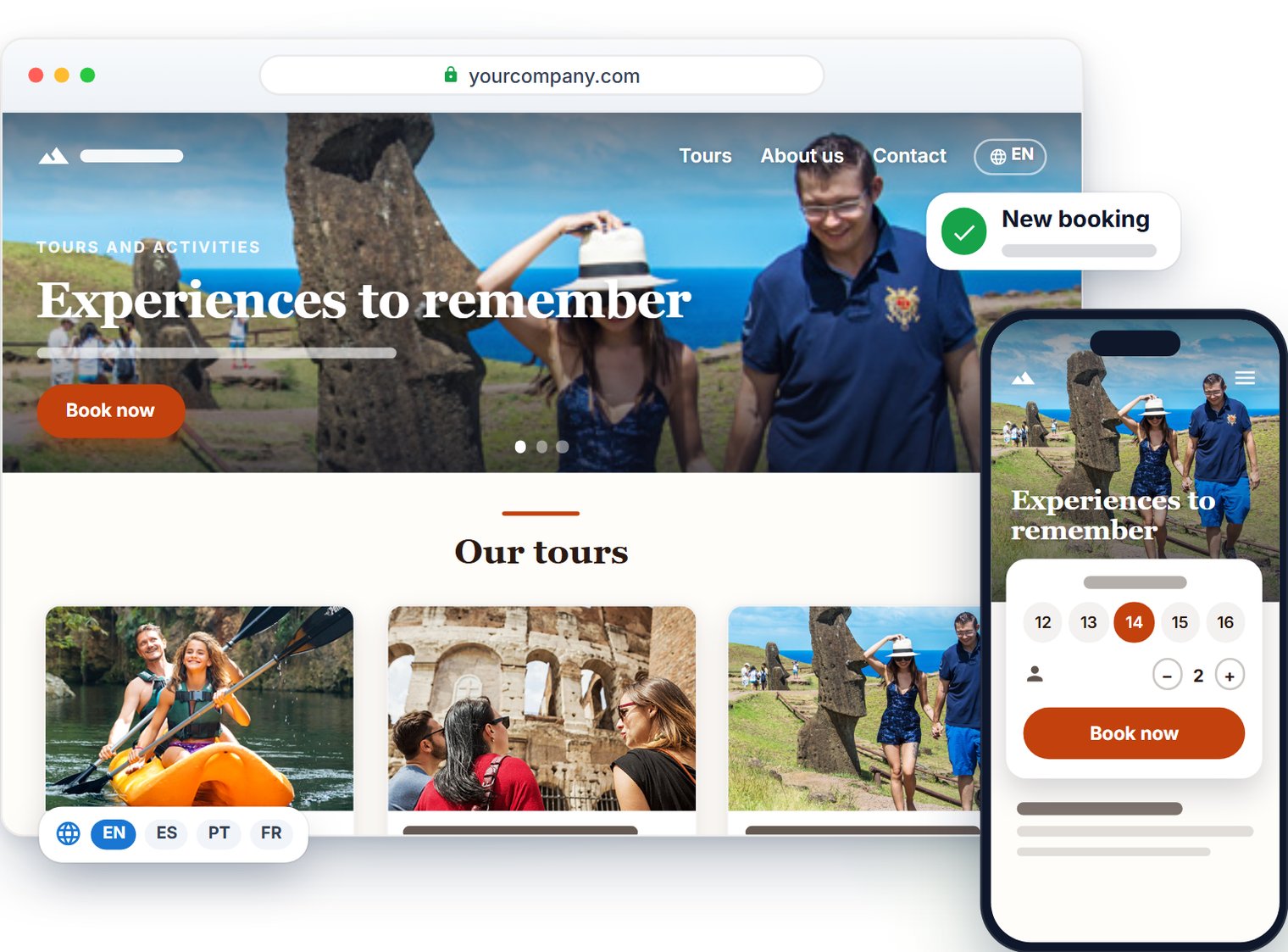
The TourTask website is a complete website for your tour business, built from your tours in TourTask.
The TourTask website at a glance
Booking built in
Your Tours page is the shop, checkout included.
Made for search engines
Your tours and prices are in the pages search engines receive.
Built for speed
Pages rendered on the server, photos sized for each screen.
A design of your own
Light or dark pages, your brand colours, three font pairs.
Texts written by AI
Written from your own facts, included in your monthly AI allowance.
Always up to date
Tours, prices and reviews come straight from TourTask.
In all your languages
Every language you sell in, translated automatically.
Your own address
A free tourtask.site address with HTTPS, or your own domain.
No extra cost
Website, address, domain connection and AI texts: all included in TourTask.
What your website includes
The TourTask website has five pages: Home, Tours, About us, Contact and Terms and conditions. A business that sells shore excursions also gets a Shore excursions page.
You add, move and remove each page's sections under Website builder → Pages. The website works on phones too.
The Tours page is your shop: see it at work in the booking demo. Once your website is published, the booking links in your vouchers, booking e-mails and chat answers lead there.
Set up your website in five steps
The setup wizard opens the first time you go to Website builder → Overview.
- 1
Your business
Enter your contact details, social and review links, default language and logos.
- 2
Your texts
Choose whether the AI writes your texts, and whether you take custom requests.
- 3
Appearance
Choose your colours and fonts. Later, you change the colours under Configuration → General → Brand colors and the fonts under Website builder → Design.
- 4
Photos
Upload at least one photo of your own, of at least 1920 × 1080 pixels, for the top of Home.
- 5
Create
Press Create my website: your website goes online at once.
Every step in detail: Create your website.
A free address or your own domain
Every TourTask website has a free address, yourname.tourtask.site, named like your backoffice address yourname.tourtask.com. Keep it for good, or connect your own domain, such as www.yourcompany.com, under Website builder → Domain. It takes two DNS records, and your domain and its e-mail stay where they are: see Connect your domain.
What the website costs
The website costs nothing on top of TourTask. TourTask bills a monthly commission on the bookings it handles, with a minimum monthly fee: see pricing.
Questions we get asked
No. The setup wizard builds your website from ready-made pages and your tours. You change a text by clicking it on the page: see Edit your website.
No: your website goes online as soon as it is created. To finish it in private, press Unpublish on Website builder → Overview, then Publish when it is ready.
Yes. Your TourTask website can stay on its free address, or use a subdomain such as tours.yourcompany.com. If your booking links lead to the booking widget on your current website, they keep leading there.
Your website is built for search engines, with your tours in its pages. To verify it in Google Search Console, use Google site verification under Website builder → Design.
Yes, up to 40, such as a privacy policy, and pages under them: press Add page on Website builder → Pages. You choose whether its link shows in the top menu, in the footer or in no menu: see Your own pages.
Yes. Add it on Website builder → Blog, then write articles about your destination and your tours, sorted by categories and tags: see Your blog.
Yes. Website chat shows on every page of your TourTask website, in the page's language. What it offers follows your settings: the AI assistant, your staff, or a form that e-mails you.
Your website sets no cookies of its own. With Google Analytics, added under Website builder → Design, a banner asks each visitor first, and Google Analytics counts only those who accept. The Meta Pixel and Google Ads, set under Website integrations → Tracking, run only in the shop on your own domain, and wait for the visitor's consent where it is required.
Apple Pay and Google Pay show only on addresses added in your own Stripe account, such as yourname.tourtask.site or www.yourcompany.com: see Apple Pay and Google Pay.